ID Photo Maker
Crop a photo for your application and create a print sheet at 300 dpi, entirely in your browser.
Drop a file to start
Drag a photo or click — it never leaves your browser
Type and size are checked when you drop it
How do I make a correctly sized ID photo for printing?
Choose a document preset to crop an ID photo to its specified dimensions and export a JPG at 300 dpi. This free tool runs in your browser without an account or an image upload. You can download one photograph or arrange copies on a 10 × 15 cm, A4 or Letter sheet with cutting marks. Presets cover Mexico’s infantil size and military service card, French passport and identity documents, and Spanish ID cards and passports. Each preset links to its official source so you can check the rules for your application. Correct dimensions do not guarantee acceptance: background, expression, image quality and submission requirements still matter. Face detection supplies a starting crop, but it may miss profiles or covered faces; move and scale the frame yourself whenever needed. Check the final print with a ruler before submitting it.
How to use ID Photo Maker
- Open a front-facing photograph with space around the head, then choose the country and application preset.
- Follow the official source link and check the dimensions. Move the crop and adjust zoom using the crown and chin guides.
- Preview the background helper if available. It only lightens already bright areas and does not replace a suitable original background.
- Download an individual JPG or a print sheet in JPG/PDF. Print at actual size and measure a copy before using it.
Photo sizes by application in inches, cm and pixels
| Application | Inches | Centimeters | Pixels at 300 dpi | Official source |
|---|---|---|---|---|
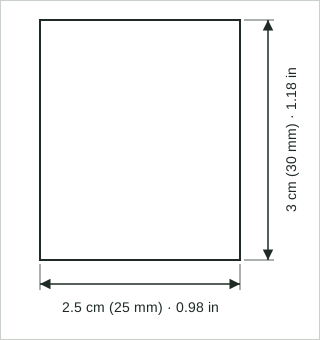
| Mexico: JCF, “infantil” photo | 0.98 × 1.18 in | 2.5 × 3 cm | 295 × 354 | STPS, Jóvenes Construyendo el Futuro requirements (gob.mx) |
| Mexico: Military Service ID card | 1.38 × 1.77 in | 3.5 × 4.5 cm | 413 × 531 | SEDENA (gob.mx) |
| France: Passport and ID card | 1.38 × 1.77 in | 3.5 × 4.5 cm | 413 × 531 | service-public.gouv.fr (F10619) |
| Spain: ID card and passport | 1.02 × 1.26 in | 2.6 × 3.2 cm | 307 × 378 | BOE: RD 255/2025 and RD 896/2003 |
Width × height, portrait. Inches = millimeters ÷ 25.4, to two decimals; pixels = millimeters × 300 ÷ 25.4, rounded as the tool exports them. The link to each source is in the application selector. The size does not guarantee the photo will be accepted: check the requirements of your application.
Privacy
Common use cases
Mexico’s infantil photo format
Prepare a vertical 25 × 30 mm picture when an application requests this size. Check that application’s rules for paper, finish, colour and how recently the photo was taken.
Mexican military service documents
Select the 35 × 45 mm Cartilla preset and read the SEDENA source. It specifies non-digitised photographs, so a correctly sized browser export alone cannot establish that your production method is acceptable.
French passport and identity applications
Use a 35 × 45 mm photo with the stated 32–36 mm face height. A light background is required and white is prohibited; the crop alone does not satisfy every condition. The source requires an authorised photographer or approved booth; this editor does not replace that process. The guides are approximate: adjust the crop manually and verify the required head height; automatic framing does not validate that range.
Spanish ID and passport photographs
Prepare a vertical 26 × 32 mm photo and check the uniform white background requirements. The official wording gives the dimensions as 32 by 26 millimetres.
Printing several copies together
Arrange copies on a standard print sheet with cutting marks. Disable fit-to-page scaling in the print dialog or ask the photo lab to preserve the document’s physical dimensions.
Frequently asked questions
Are these official passport photo presets?
Every available preset names its application and links to an official dimensions source. The tool cannot certify acceptance or check every rule, and no single photo format applies to all countries.
How big is a Mexican infantil photo?
This preset is 25 mm wide by 30 mm high, exported as 295 × 354 pixels at 300 dpi. Read the requirements of your specific application rather than relying on the size name alone.
Do I need a printed photo for a Mexican passport?
The current Mexican passport process captures the photograph at the office rather than requiring a printed photo. This tool therefore does not provide a Mexican passport print preset.
Why does my print come out at the wrong size?
A print dialog or photo lab may automatically enlarge the image to fill the paper. Choose actual size or 100 percent and check the result with a ruler; 300 dpi metadata does not prevent print scaling.
Does the background option remove the background?
No. It lightens bright areas outside the protected face region rather than separating the person from the background. It is unavailable for the French preset because that application prohibits a white background.
Can I crop an ID photo without face detection?
Yes. You can move and scale the frame manually even when no face is detected. Profiles and covered faces can confuse the detector, and its initial estimate should always be checked against the guides.